

Never miss an email!
If You Use Gmail…
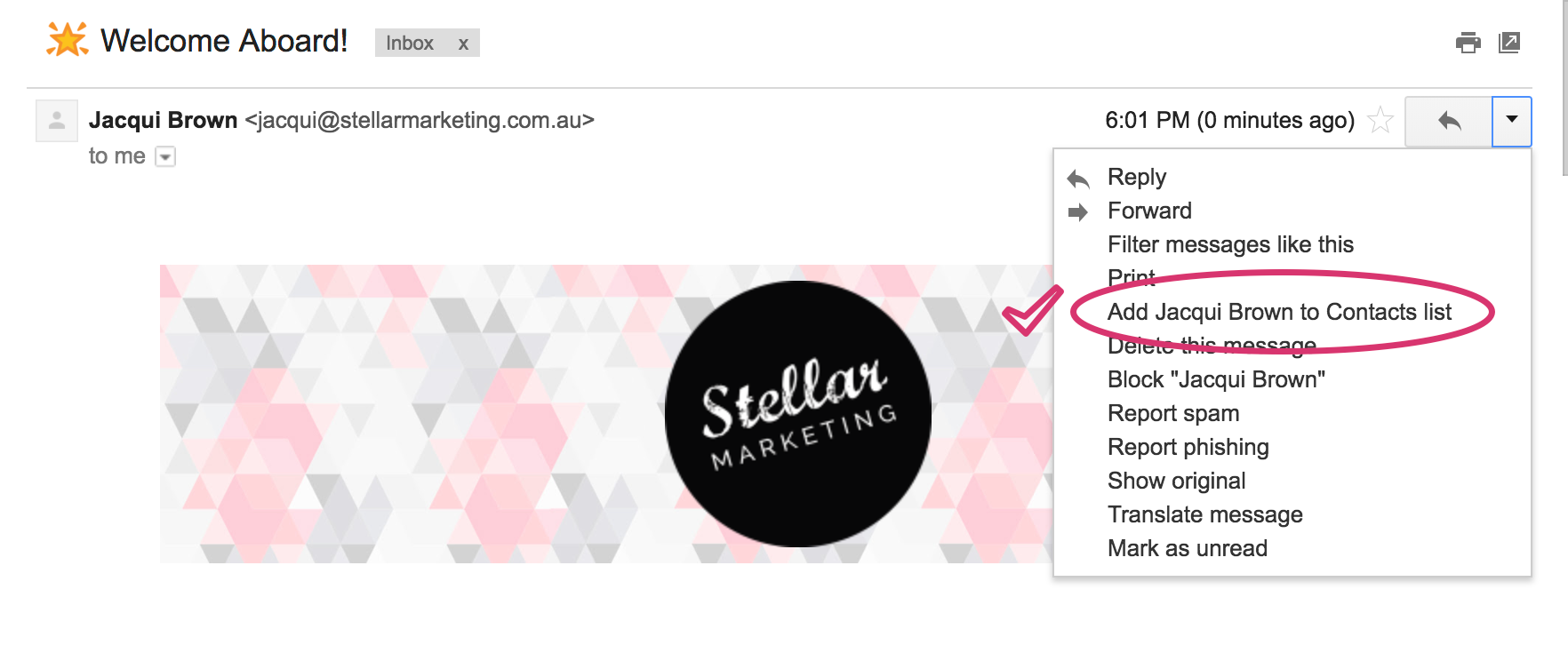
To make sure Gmail never filters Stellar Marketing emails as spam, all you have to do is mark the conversation as important!
If You Use Outlook…
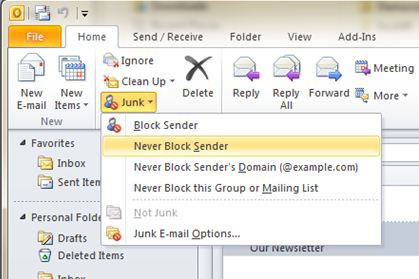
To make sure Outlook never filters Stellar Marketing emaisl as spam, take the following steps:
- STEP 1: Select the message of the sender you wish to Whitelist
- STEP 2: Then click Home > Junk > Never Block Sender or you can right click the selected message and choose Junk > Never Block Sender from the drop down menu
If You Use Mac Mail…
To make sure Mac Mail never filters Stellar Marketing emails as spam, take the following steps:
- STEP 1: Select Mail > Preferences from the menu in Mac OS X Mail
- STEP 2: Select the Rules category and click Add Rule


- STEP 3: Type a description and ensure the criteria reads correctly
- STEP 4: Enter the domain name you wish to whitelist, and enter the actions you want to be performed
- STEP 5: Click OK